One job. Rotating TOTP codes. Nothing else.
Rotor is a browser-native TOTP authenticator. It generates the six-digit codes your bank and your email ask for at login. It does not store passwords, cards, notes, or anything else — and it never will. No server, no account, no company holding your secrets.
This page shows every screen of the app, explains how it's built, and is honest about the tradeoffs. Trusting a browser app with your second authentication factor is a big ask — here's everything you need to make that decision.
Three ways to run it
Pick whichever you trust most. They all do the same thing.
1. Open the URL
rotor.naklitechie.com — loads once and caches itself via service worker. After the first visit it works fully offline, forever. Zero network requests at runtime.
2. Save the page
File → Save Page As → index.html. Open it from disk any
time. One HTML file plus a 25-line service worker. Works on any
modern browser, any device, offline.
3. Clone and read
github.com/NakliTechie/Rotor
— read every line, then serve with python3 -m http.server.
No build step. No dependencies to audit. Verify the RFC 6238 self-test passes in DevTools.
The full user flow
Every screen in order, mobile view.
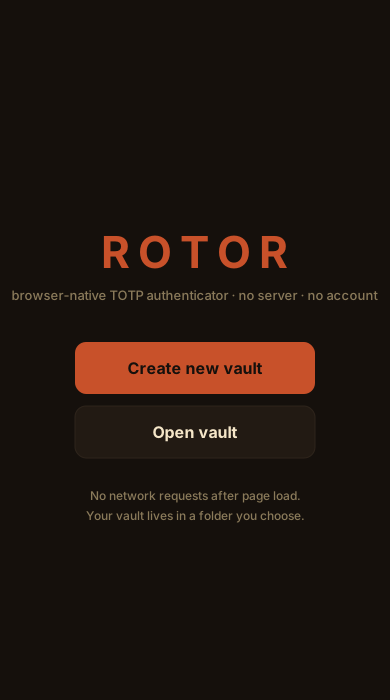
First visit: create or open a vault.
On desktop (Chrome, Edge, Firefox), Create new vault opens the folder picker — point at an empty folder, set a master password, and the vault is created there. On iOS or mobile browsers without the folder picker, Rotor uses the browser's Origin Private File System — just name the vault.
On return visits, Rotor reconnects silently and skips straight to the Unlock screen. No permission prompt unless you're on desktop and the browser session has expired the folder handle.
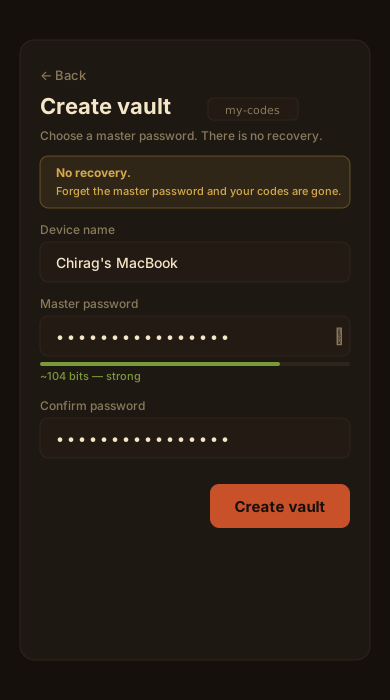
Name this device. Set the master password.
The device name labels this browser's event stream in the roster. The entropy meter gives live feedback — aim for at least 50 bits (four random words is fine).
The yellow box is not decoration. Rotor cannot reset your master password. It has never seen it. If you lose it, your TOTP secrets are unrecoverable from this vault — you'd have to re-pair each account with its 2FA issuer.
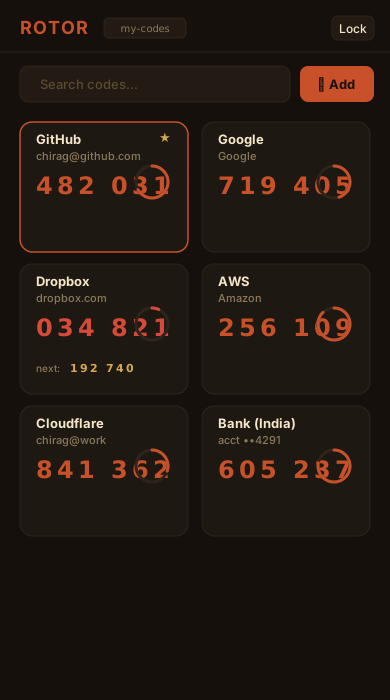
Every TOTP code at a glance, always ticking.
Each tile shows the label, issuer / account, current code, and a ring counting down to rotation. Pinned codes sort first (star icon to toggle). Tap or click any tile to copy.
When a code enters its last ~5 seconds, it turns red and the next code appears below for smooth handoff — no panicked refresh halfway through a login. Search codes live with the search field.
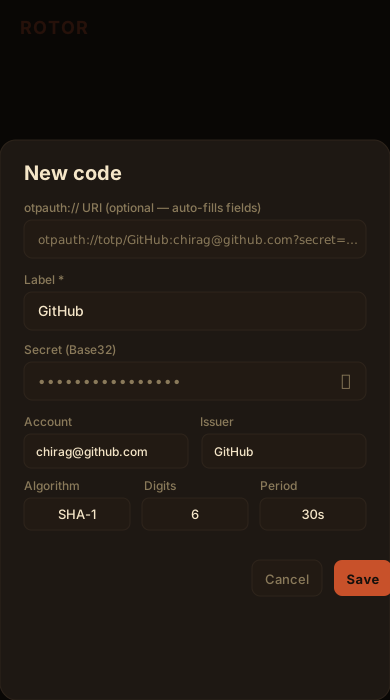
Paste an otpauth:// URI or type the secret manually.
The top field accepts an otpauth://totp/ URI — paste
it and Label, Account, Issuer, Algorithm, Digits, and Period fill
in automatically. Most 2FA setup pages offer a "can't scan?" link
that reveals the URI.
The secret is AES-256-GCM encrypted in the event log; nothing about your TOTP configuration touches disk in plaintext.
Bulk import: Settings → Data → Import codes → otpauth:// URIs — paste one URI per line to import many at once.
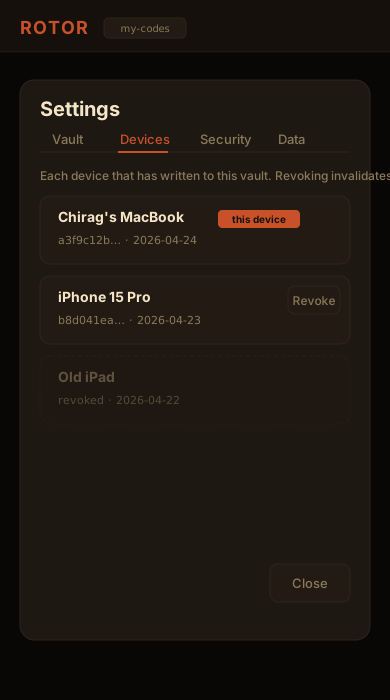
Every device that has ever written to the vault.
When a second browser opens the vault folder, Rotor detects it's a
new device, asks for the master password to verify, adds a
device_registered event, and starts its own event
stream. No coordination needed.
Revoking a device emits a device_revoked
event. On the next merge, events from that device timestamped after
the revocation are skipped. Lost a phone with a synced vault?
Revoke it from any other device.
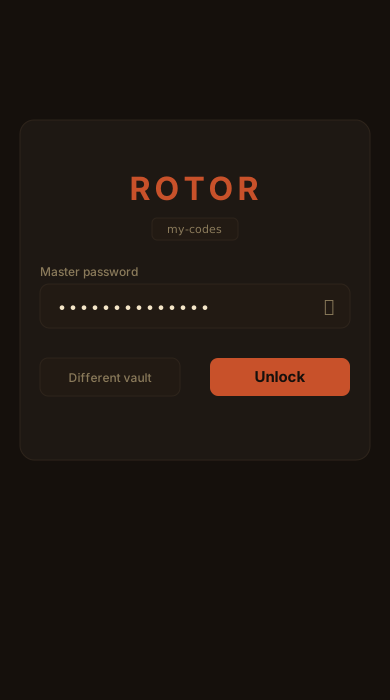
The master password is the only key. No back door.
The derived key is held in memory only while unlocked. Idle timeout, the Lock button, or tab-hide lock wipes it from memory.
Wrong passwords are rejected by AES-GCM's authentication tag — there is no "close enough." Rotor doesn't phone home with failed attempts because it can't — check DevTools → Network.
Different vault (or "Different folder" on desktop) lets you point at another vault without reloading — useful if you keep separate work and personal vaults.
How it's built
Every claim below is verifiable by reading index.html — one file, no build.
| Concern | Implementation |
|---|---|
| TOTP | RFC 6238 over WebCrypto HMAC-SHA-{1,256,512}. Base32 decoder inline (~20 lines). No library. Four RFC 6238 Appendix B test vectors verified on every boot — watch DevTools console. |
| Key derivation | PBKDF2-SHA-256, 600,000 iterations. Web Crypto API only. |
| Entry encryption | AES-256-GCM, random 12-byte nonce per event. TOTP secret is encrypted to opaque base64 inside the event log. |
| Hash chain | SHA-256 of previous raw event-line string, embedded as prev_hash. Break any byte, break the chain. Verifiable in-app via Settings → Vault. |
| File I/O | File System Access API (showDirectoryPicker) on desktop; Origin Private File System (navigator.storage.getDirectory()) on iOS and other mobile browsers. Same file format, different backing store. |
| Offline | 25-line service worker caches the app shell. Cache-first, no network after install. |
| Network requests | Zero after page load. CSP has connect-src 'none'. Open DevTools and verify. |
| Dependencies | Zero. No CDN, no npm, no framework. |
| Build step | None. The source file is the app. |
Tradeoffs you're accepting
Honest about what this model costs you.
.rotor file in a cloud folder; it is
AES-256-GCM encrypted with your master password.
Rotor does one thing
No passwords, cards, or notes — ever. If you want those plus codes under one master password, use Tijori, the sibling app that shares this engine. Rotor exists for users who want their second factor to live on a different footing.
Don't combine with Tijori
Rotor and Tijori share the same file format because they share the same engine, but the whole point of using Rotor is strict separation. Keep them in separate folders with separate master passwords. Pointing both at one folder defeats the purpose.
Silent LWW merge
Merge is per-field last-writer-wins, sorted by timestamp. Two devices editing the same field concurrently: the later timestamp wins. No diff UI — the result is deterministic and silent.
Soft revocation
Revoking a device prevents its future events from being merged. It does not re-encrypt the vault. A revoked device that already has a copy can still decrypt with the master password. Full remediation: revocation + master password change.
Browser-stored on mobile
On iOS and mobile browsers without the File System Access API, your vault lives in the browser's private storage (OPFS). Clearing site data wipes it. Back up to an encrypted archive or use QR sync to move it to a desktop vault.
Plaintext escape hatch
Settings → Data → Export plaintext otpauth:// list produces one URI per line, feedable to any other authenticator. Trade-off: unencrypted. Handle like a password file.